
The Ultimate 2026 AI Dictation App Showdown: Tested, Ranked, and Ready for Your Workflow
AI dictation apps have come a long way in a remarkably short time. For years, they were notoriously slow and inaccurate—unless you happened to speak with a very specific accent and enunciated every syllable perfectly.
Advances in large language models (LLMs) and speech-to-text models have entirely changed the game. These new systems can decipher speech with incredible accuracy while retaining enough context to format the text correctly. Developers have also integrated smart features to automatically remove filler words, fix verbal stumbles, and handle complex punctuation. The result? Output text that needs far fewer edits, if any at all.
With dozens of these apps now flooding the market, the Technyfire desk has tested and rounded up our definitive picks for the best, most useful dictation apps available right now. Here is the full, unshortened ranking.
Wispr Flow.
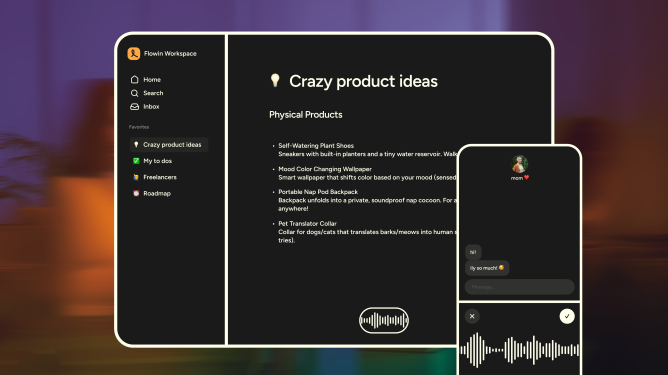
Wispr Flow is a heavily funded AI dictation app that gives you deep control over your output by letting you add custom words and instructions. Currently, it has native applications for macOS, Windows, and iOS, with an Android version actively in the works.
The app allows you to heavily customize how it transcribes your text by letting you choose from “formal,” “casual,” and “very casual” styles depending on what you are writing—whether that’s personal messaging, a work document, or an email. Furthermore, if you use it alongside vibe-coding tools like Cursor, you can activate a specialized feature to automatically recognize variables or tag files directly in the chat.
Pricing: Wispr Flow lets you transcribe up to 2,000 words per week for free on the desktop app, and 1,000 words per month on iOS. Paid subscription plans, which offer unlimited transcription, start at $15 per month.
Willow
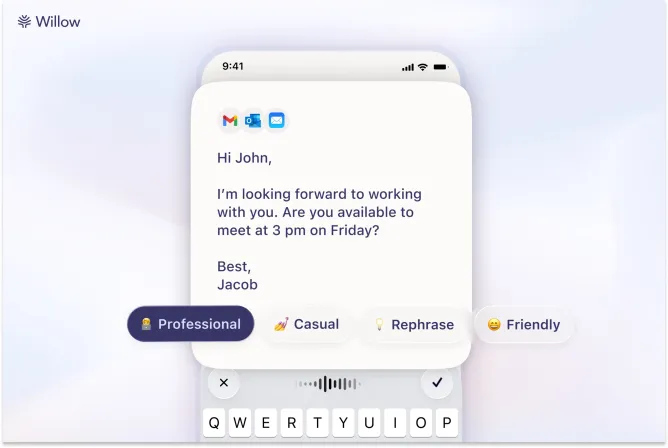
Willow heavily advertises itself as the ultimate time-saver for users who actively dislike typing. It features common tools like automatic editing and formatting, but its true power lies in its use of large language models to generate a full, comprehensive passage of text from just a few quickly dictated words.
Willow also takes a strictly privacy-focused approach. It stores all of your transcripts locally on your device and allows you to explicitly opt out of AI model training entirely. You can also add custom vocabulary to help the engine adapt to your specific industry’s terminology or your local regional dialect.
Pricing: Willow allows you to dictate 2,000 words per month on its desktop app completely for free. Individual subscription plans start at $15 per month, which unlocks unlimited dictation and enables the app to actually learn and remember your personal writing style.
Monologue
If absolute privacy is your top priority, Monologue is the app for you. It allows you to download its AI model directly to your device for local transcriptions, keeping your sensitive data entirely off the cloud. Additionally, the app lets you customize its tone depending on the specific application you are using it with at that moment.
Pricing: Monologue allows you to transcribe 1,000 words per month for free. A premium subscription costs $10 per month or $100 per year. As a unique bonus, the company actually sends its most active users a physical shortcut device called the “Monokey” to use alongside the software.
i wanna add a twitter post here
4. Superwhisper
Superwhisper operates primarily as a live dictation app, but it boasts the powerful ability to transcribe directly from pre-recorded audio or video files. The platform lets you choose and download specific AI models, including several of its own proprietary models built for different speeds and accuracy levels, alongside Nvidia’s highly regarded Parakeet speech-recognition models.
The app lets you write custom prompts to intelligently steer the output, and you can conveniently view both the processed and unprocessed transcripts directly from your system keyboard.
Pricing: The basic voice-to-text feature is completely free to use, and users are given 15 minutes to test out Pro features (like translation and transcription). The paid tier allows you to bring your own AI API keys and connect cloud and local models with zero usage caps. The monthly plan is $8.49 per month, the annual plan is $84.99 per year, or you can purchase a lifetime subscription for a flat $249.99.
VoiceTypr
VoiceTypr takes an aggressive offline-first, no-subscription approach to the market, allowing you to utilize local models for all your transcription needs. Notably, it has an active GitHub repository for developers who prefer to host and run the open-source version themselves. VoiceTypr supports over 99 languages and operates smoothly on both Mac and Windows.
Pricing: The app is available to test for three days for free. After the trial, you must purchase a lifetime license. It costs $35 for one device, $56 for two devices, and $98 for a four-device license.
Aqua
Backed by Y Combinator, Aqua is a highly optimized voice-typing app for Windows and macOS that claims to be one of the fastest tools in the entire category regarding latency (the agonizing delay between when you speak and when the text actually appears on your screen).
Beyond handling basic grammar and punctuation, Aqua excels at macro autofilling. You can say trigger phrases like “my address,” and Aqua will automatically type the full saved address out. The platform also offers its own dedicated speech-to-text API, which allows other apps to plug directly into Aqua’s rapid transcription engine.
Pricing: The free tier grants you 1,000 words per month. Paid plans begin at $8 per month (billed annually) and unlock unlimited word counts and up to 800 custom dictionary values.
Handy
Handy is a completely open-source, free transcription tool that runs natively on Mac, Windows, and Linux. The app is intentionally bare-bones and doesn’t offer an abundance of deep customization. However, if you simply want to start utilizing your voice more often and absolutely refuse to pay a subscription, it is a highly reliable option. The app features a basic settings menu that allows you to toggle a push-to-talk mode and map the hotkey used to activate transcription.
Typeless
Typeless stands out from the pack primarily due to its massive free word count. The company boldly claims that it does not retain any user data or use it to train its AI models. Typeless also features a smart engine that offers to automatically rewrite sentences that you may have fumbled while speaking.
Pricing: The app allows you to dictate a massive 4,000 words per week (roughly 16,000 words per month) on its free tier. You can choose to pay $12 per month (billed annually) to unlock entirely unlimited words and gain access to upcoming features. Typeless is currently available for Windows and macOS only.
VoiceInk
VoiceInk is a robust open-source, private dictation application built specifically for Mac. The app supports global keyboard shortcuts for starting and stopping recordings, alongside a standard push-to-talk mode. Its standout feature is its ability to read the context of what is currently on your screen and dynamically adjust its output accordingly.
The app automatically detects specific applications and URLs, applying custom formatting rules tailored to each one. It also features a built-in assistant mode capable of answering your questions.
Pricing: VoiceInk requires a one-time payment for lifetime access: $25 for one device, $39 for two devices, and $49 for three devices.
Dictato
Dictato is a highly efficient dictionary and dictation app for Mac. The software runs completely on offline models like Parakeet, Whisper, and Apple Speech Analyzer, while also tapping into Apple Intelligence for light reading and filler word removal. Because it relies heavily on these local models, the app achieves a blistering 80ms latency, meaning your text appears almost instantly after you speak.
Pricing: Dictato is priced at a flat €9.99 (roughly $12 USD), which grants you lifetime access to the software along with two full years of dedicated feature updates.
AudioPen
AudioPen initially launched as a simple web-based voice notes app but has evolved significantly over the years. Its dedicated Mac version now allows you to dictate text and instantly rewrite it in your preferred format and style, allowing you to switch between different tones at any time. Beyond live transcription, AudioPen is fantastic for storing audio notes across different platforms, combining multiple notes to generate summaries, uploading existing audio files, and using AI to rewrite old notes.
Pricing: The app costs $33 for a three-month pass, $99 for an annual pass, and $159 for two years of access.